Swipe review
Ten years of photos, one month at a time
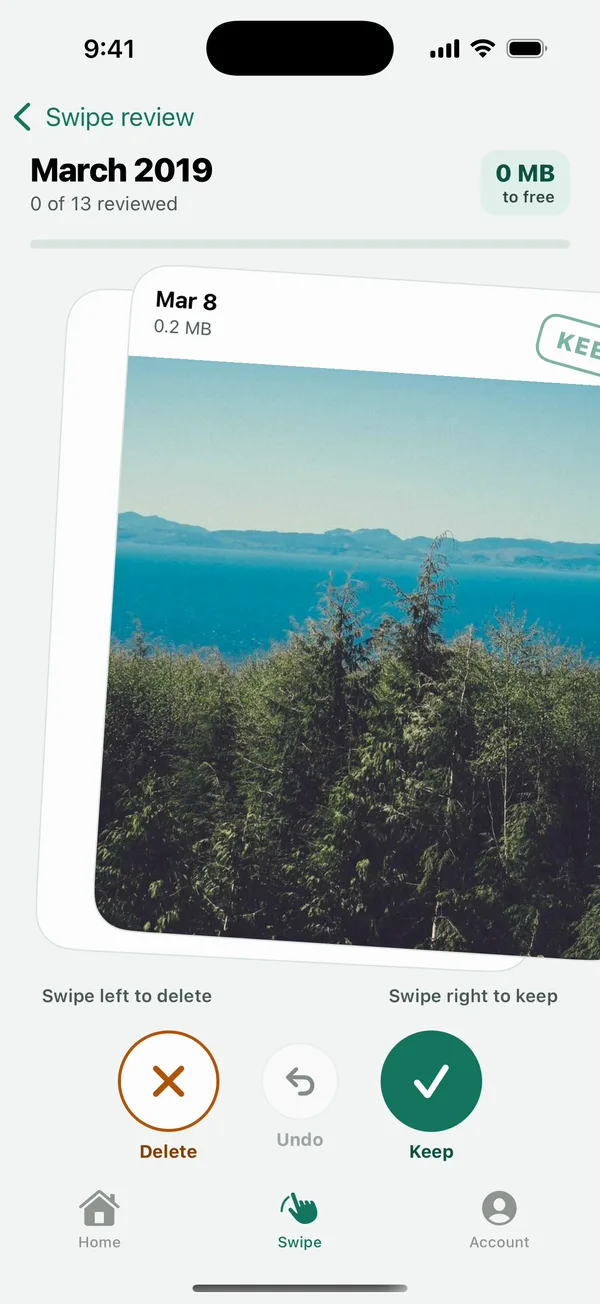
Search for any month or year, open it, and swipe. Right keeps, left marks for delete, Undo takes it back. Nothing is deleted until you confirm the month.
The real app, shown with sample photos
How it works
Four steps, and you're always in control
-
Step 1
Find the month
Type a year like 2019 or a month like March and jump straight there. No more scrolling past a decade of months.
-
Step 2
Swipe to decide
Swipe right to keep, left to delete. A Keep or Delete stamp shows which way you're going before you let go.
-
Step 3
Undo anytime
Changed your mind? Undo brings the last photo back. Swiping only marks photos, so nothing is gone yet.
-
Step 4
Confirm the month
See how much you'll free, then delete in one go. Items go to Recently Deleted on iPhone (30 days) or Trash on Android first.
Made for one thumb, and for everyone
-
Big buttons too. Prefer tapping? Delete, Undo and Keep sit right under your thumb.
-
Look closer first. Tap a card to see the photo or video full screen before you decide.
-
Screen readers welcome. VoiceOver and TalkBack get Keep and Delete actions on every card.
-
Calm motion. With Reduce Motion on, cards fade instead of flying.
Swipe review questions
Does a left swipe delete the photo right away?
No. A swipe only marks it. When you finish the month, you see how many items and how much space, and delete them together. Your phone asks once more before anything goes.
How do I find photos from a specific year?
Type the year in the search field at the top of Swipe review. You can also type a month name, or both, like March 2019.
Are favorites included?
No. Favorites, hidden photos and protected albums are never suggested for cleanup, so they don't appear in swipe review.
Is swipe review free?
Yes. Free covers 50 cleanups a day. Pro removes the limit; anything over today's limit stays marked for tomorrow.